Website Blocker for Studying: How to Survive the Semester
For studying you want a website blocker that is free, needs no account, and has two levels: a gentle nudge for regular homework and a hard stop for exam week. The setup below takes about five minutes at the start of the semester. It also includes the honest part most articles skip: no extension can save you from the phone lying next to your laptop.
What students actually need from a blocker
Student requirements are specific, and most blockers fail at least one of them:
- Free, really free. BlockSite allows three sites, then asks for $49.99; a recent 1-star review reads "only blocks 3 websites then ask for money." Freedom runs $8.99 a month. On a student budget, that is textbook money.
- No account. One more login is one more thing to abandon. The good news: the best free tools, ZalipOff, LeechBlock NG, StayFocusd, need no signup at all.
- Flexibility. This is the big one. You cannot nuke YouTube from orbit when half your lectures live there. A blocker for studying has to tell the difference between "watching the tutorial" and "forty minutes into shipwreck videos."
- Survivability. A blocker only helps if it is still installed in November. Tools that only punish get uninstalled the first bad week.
There is a quieter requirement too: the tool cannot run on shame. A semester is long, you will have bad days, and a blocker that greets every bad day with a red failure screen becomes an enemy by October. One that shrugs, notes the drift and moves on is one you will still be using in December, which is the only kind that matters.
The five minute semester setup
- Install ZalipOff from the Chrome Web Store. Free, no account, done in thirty seconds.
- List your actual distractions. Not a generic list: your list. Usually some mix of TikTok, Instagram, Reddit, Twitch, Netflix and the group chat's link dumps. There is no site limit, so be thorough.
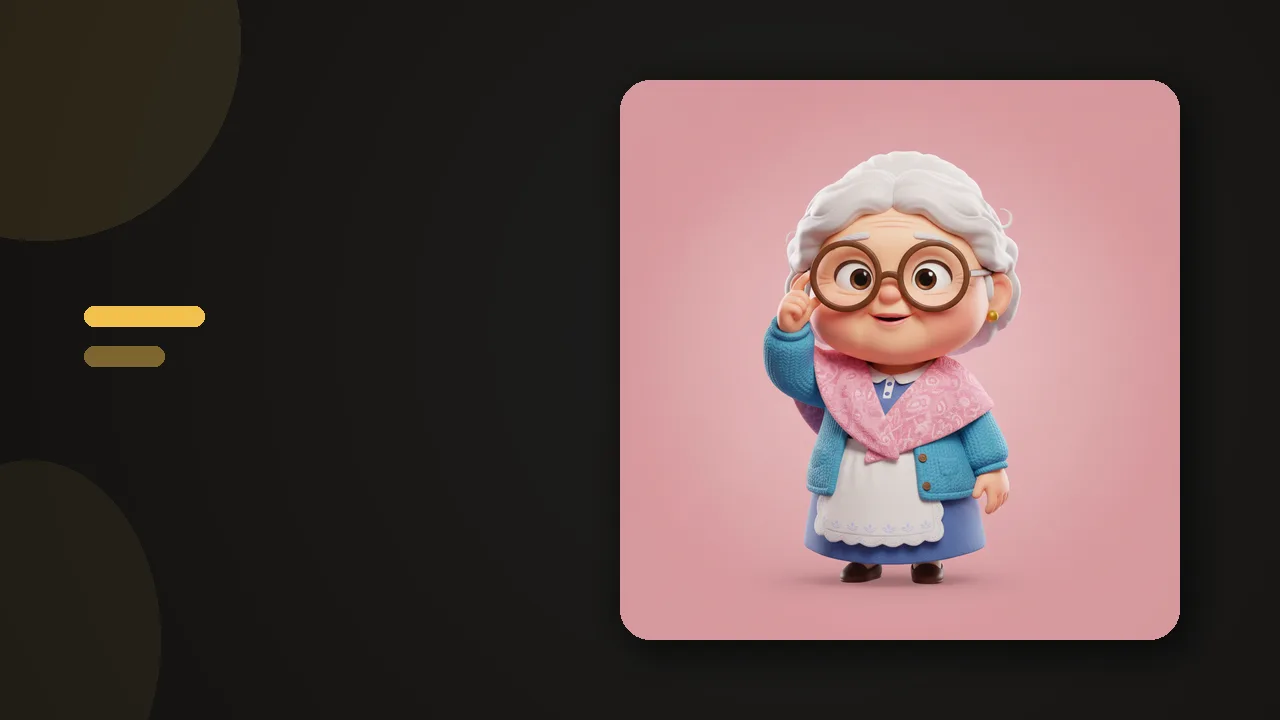
- Pick your coach. ZalipOff has 12 characters with different styles, gentle to strict. The wise grandma energy works for a surprising number of students; pick whoever you would actually listen to at 1 am.
- Start in soft mode. When you drift, a small reminder card appears in the corner with the coach reacting. YouTube stays usable for lectures; the card just catches you when a tutorial melts into a binge.
If you study in a library or share your screen in class, soft mode has a side benefit: the reminder card is small and private, unlike a full-screen block page announcing your Reddit habit to the row behind you.

Homework mode vs exam mode
The two-mode design maps cleanly onto the academic calendar.
Regular weeks: soft mode. Ordinary studying involves legitimate detours: looking up a definition, checking the syllabus, watching the lecture recording. A hard wall would fight you constantly and lose, because any blocker that blocks your actual coursework gets disabled by Thursday. The reminder card keeps the cost of drifting visible without making the browser unusable.
Exam week: hard mode. Finals are different: short, high stakes, and nothing good is waiting on Reddit. Hard mode dims the screen behind a blocking overlay, and because it only lasts the week, the strictness never builds into resentment. ZalipOff also escalates automatically in between: if you bounce off the same reminder three times in an evening, it stops reminding and starts blocking, which is exactly the intervention curve a tired student needs.
Pair the blocker with a structure like the Pomodoro technique: 25 minutes on, 5 off. The blocker guards the 25; the breaks keep you from burning down by 9 pm.
A semester calendar for your blocker
- Syllabus week: set everything up while motivation is free. List the sites, pick the coach, soft mode on.
- Regular weeks: touch nothing. The reminder card carries the load; your only job is not arguing with it.
- Midterms: flip the worst two or three sites to hard mode for the week, then flip them back. Strictness with an end date does not breed resentment.
- The week after midterms: the danger zone. Grades are in, pressure is off, and this is when blockers get uninstalled. Leave it alone; soft mode costs you nothing.
- Finals: hard mode across the board, phone in another room, and let the automatic escalation catch whatever you forgot to block.

Try ZalipOff free: 12 character coaches, soft nudge or hard block, no account needed. Your data never leaves your browser. Add to Chrome.
The phone problem, honestly
ZalipOff is a browser extension. It does not run on your phone, and no Chrome extension does. Since the phone is usually the bigger threat during study sessions, handle it physically: another room, a drawer, a jar on the far shelf, or your phone's own focus mode with everything but calls silenced. Distance works where apps negotiate. Our guide on how to stop scrolling your phone goes deeper, and the broader study method matters more than any tool: see how to study without getting distracted for the full system.
One trick that survives contact with real dorm life: charge the phone across the room and run music and messages through the desktop browser, where the blocker stands guard. The goal is not monk mode; it is making the distracting path slower than the studying path.
If ZalipOff is not your thing
- LeechBlock NG (free, 4.9): the scheduler's choice. Block sites during class hours, allow them at lunch, lock everything after midnight. The settings UI looks like a spreadsheet, but for timetable-driven students the precision is worth it.
- StayFocusd (free, 4.4): daily time allowances, like 20 minutes of social media per day. Caveats: recent reviews trend at 3.90 with bug reports, and it has broken in Brave for some users.
- Unhook (free, 4.9): if YouTube is your only weakness, it removes Shorts, recommendations and autoplay so lecture videos stop turning into rabbit holes.
All three are free and accountless. For the complete field, the best website blockers of 2026 roundup has every option with its honest weaknesses.
Making it survive until finals
Most study blockers die in week three, and the cause is almost always the same: the tool was set up as a punishment, and punishments get escaped. Three habits keep the setup alive:
- Block your real list, not an aspirational one. Blocking twenty sites you rarely visit feels productive and does nothing. Block the four that actually eat your evenings.
- Keep soft mode as the default. Reserve hard mode for crunch. A tool that trusts you most of the time is a tool you do not plot against.
- Let the coach be a character, not a judge. A drift caught by a character you chose feels like an inside joke; the same drift punished by a red block page feels like a verdict. The joke survives the semester. The verdict does not.
- Tell your study group. Not for accountability theater, but because "sorry, the sergeant has my browser until six" is a genuinely useful excuse, and shared jokes keep tools installed.

Set it up once during syllabus week and let the coach handle the rest. Add ZalipOff to Chrome: free, no account, no site limit, and everything stays in your browser. See you at graduation.
Frequently asked questions
What is the best free website blocker for studying?
ZalipOff fits student needs best overall: free with no site limit, no account, a soft reminder mode for regular homework and a hard block mode for exam week. LeechBlock NG is the strongest free alternative if you want schedule-based rules tied to your timetable.
How do I block distracting sites but keep YouTube for lectures?
Use a soft block instead of a full one. In ZalipOff's soft mode, YouTube stays usable and a reminder card with your coach character appears only when you start drifting, so tutorials work but binges get interrupted. Unhook is another option: it strips Shorts, recommendations and autoplay while leaving videos playable.
Will a website blocker work on my phone during study sessions?
Chrome extensions, including ZalipOff, only work in the desktop browser. For your phone, physical distance beats apps: another room or a drawer, plus your phone's built-in focus mode. Treat the blocker as guarding your laptop and geography as guarding your phone.
Why do students uninstall blockers mid-semester?
Usually because the blocker was too strict for ordinary weeks: it blocked things they legitimately needed, built up resentment, and got removed during a stressful night. A graduated setup, gentle reminders by default and hard blocks only for crunch periods, avoids the resentment that kills the tool.